IronSights is now an authorised Yubico reseller. We hold stock in Sydney, prices include GST, and every order is issued with a tax invoice.
We have recommended hardware security keys for as long as we have done security work, without supplying them. That left a gap we could not close from the advisory side. A client would ask which key to buy, we would specify one, and the hardware that arrived some weeks later was frequently the wrong connector, a -only model where the 5 Series was required, or a parallel import carrying no Australian warranty. Supplying the keys ourselves removes that step from the process.
Why hardware keys resist phishing
Most in daily use remains phishable. A six-digit code is a value the user reads from one screen and enters on another, so an attacker operating a reverse proxy between the user and the genuine service can capture the code and replay it inside its validity window. Push approvals fail in much the same way, since the user is asked to confirm a prompt rather than to verify what is being confirmed.
FIDO2 addresses this at the protocol level. The credential held on the key is bound to the origin it was registered against, and the key will not produce a valid assertion for any other domain. A convincing replica of a sign-in page hosted on a lookalike domain therefore obtains nothing it can use, whether or not the user notices that the address is wrong. The control no longer depends on the person in front of the screen.
The boundary of that protection is worth stating clearly. A hardware key protects the authentication event. It does not protect a session token stolen from an endpoint after sign-in, which remains a device compliance and matter. Keys should be deployed as part of an access policy rather than as a substitute for one.
Storing authenticator codes on the key
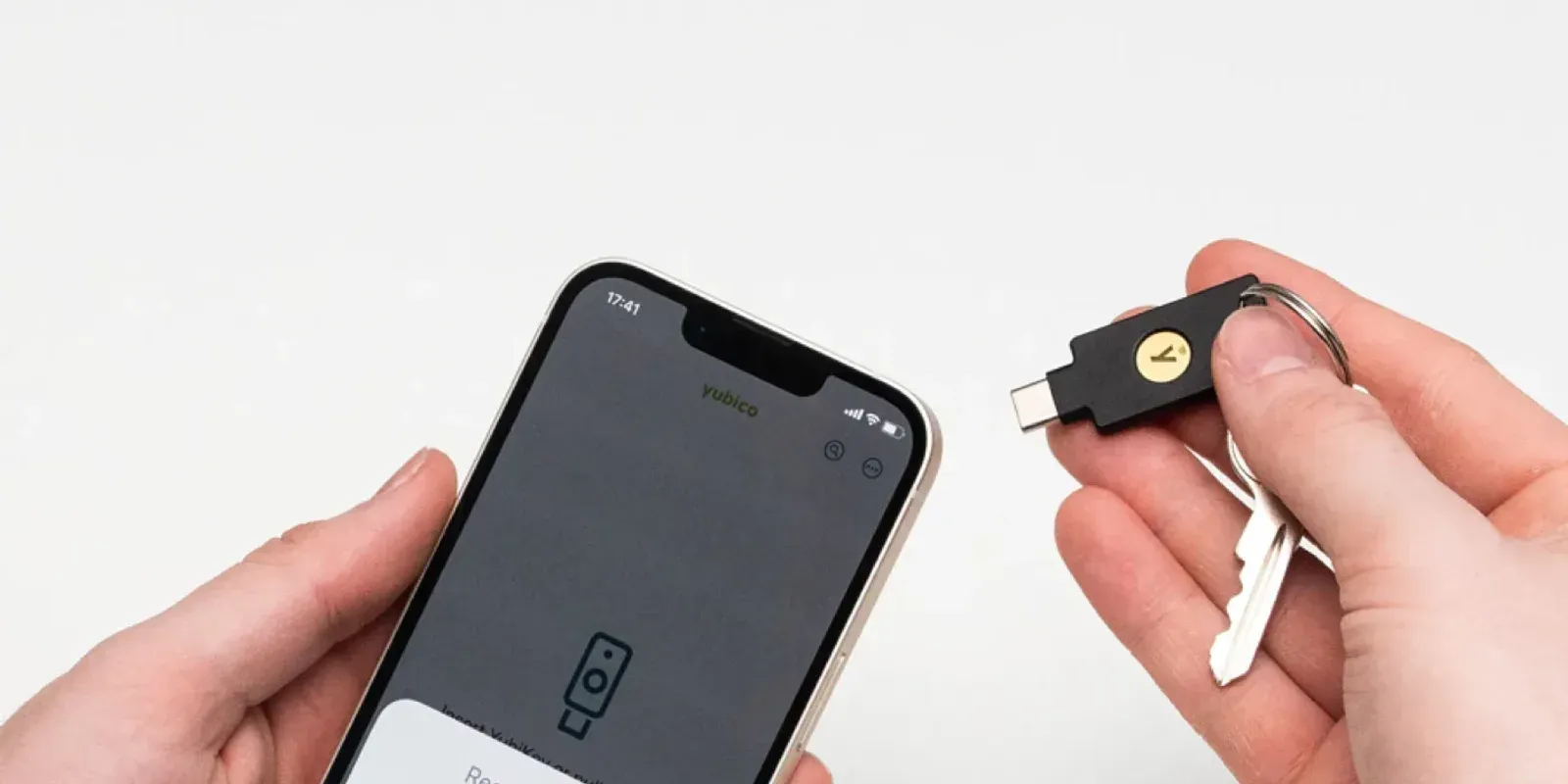
A number of services still offer no method stronger than a six-digit code. For those, a YubiKey 5 Series can hold the codes in place of a phone, using the OATH application on the key and the Yubico Authenticator app to display them.
This is a portability improvement rather than a security one. The codes are still entered into a sign-in page and remain phishable, exactly as they are in any phone-based authenticator. Storing the secret on a key does not make the method -resistant and should not be presented as though it does.
What changes is where the secrets are held. They reside on the key rather than on the handset, which has three practical consequences.
Replacing a handset
Migrating an authenticator app between phones is a recurring source of lost access. Entries covered by the app's backup generally restore. Entries that are not have to be re-enrolled with each service individually, and the accounts affected tend to be those used least often, where the recovery process is least familiar to the user.
Where the secrets are held on a key, the migration does not arise. The replacement handset is set up, the key is presented to it, and the same codes are available. For organisations issuing phones on a refresh cycle, or replacing them individually through the year, this removes a predictable category of support request.
The same consideration applies to and is not widely understood. A passkey registered in Microsoft Authenticator is bound to that handset and is not carried across by the app's backup, so a replacement phone requires re-registration. A passkey held on a hardware key transfers with the key.
Lost, damaged or stolen phones
A phone that is lost takes the authenticator app with it, and with it any codes held only in that app. Where the codes are held on a key, they are unaffected, as is the FIDO2 credential registered on the same key.
Access from a desktop
Yubico Authenticator is available for Windows, macOS, Linux, Android and iOS, and reads the key over USB or . Codes are therefore available on whichever device the key is presented to, rather than only on a phone.
Limitations to consider
Codes held on a key are available only while the key is present. A phone is ordinarily carried at all times and a key may not be, so anyone moving a substantial number of accounts should migrate a few first and assess the effect on their working day before moving the remainder.
OATH secrets are not duplicated between keys. Registering a second key for FIDO2 does not copy stored codes to it. A backup requires each account to be added to both keys at the point of enrolment, using the same QR code or setup secret, since most services display that value once only. The alternative is to retain the service's recovery codes and accept re-enrolment if a key is lost.
The capability is confined to the 5 Series. The Security Key Series supports FIDO2 and passkeys but does not include the OATH application, so it cannot store codes. It remains the more economical choice where code storage is not a requirement.
Where hardware keys are warranted
Most staff do not need one. A passkey in Microsoft Authenticator is free, satisfies the new Entra default, and is a substantial improvement on SMS. We give that advice routinely, including where it reduces the size of an order.
Keys are warranted in defined circumstances. Administrative accounts and any role able to authorise payments. Break-glass accounts, which must remain usable on a day when the mobile fleet cannot be relied upon. Staff who are not issued a company phone, or who cannot bring a personal one to their workstation. Shared and frontline devices, where an individual's handset is not an appropriate second factor for a whole shift.
Two keys should be issued in every case. A single key with no registered backup produces a lockout, and lockout recovery is the point at which organisations commonly reinstate the SMS fallback they have just removed. The second key is registered during enrolment and held securely from then on. Our guide to the two-key rule sets out how to run that in practice.
Hardware is the smaller part of the cost. Enrolment, the Conditional Access policy that requires phishing-resistant authentication, break-glass design, and the process for departures and lost keys account for most of the effort. Without an enforcing policy, a key provides no assurance at all.
Why Yubico
We continue to recommend alternatives where they suit the requirement. Our comparison of YubiKey, Google Titan and Feitian sets out where the other two are sound purchases, and those conclusions were left in place after review.
Yubico was selected on the criteria that matter to a deployment we then have to support. A single vendor covers USB-A, USB-C, Lightning and NFC, along with a Nano form factor that remains seated in a desktop port, so a mixed Australian desk fleet can be equipped from one source. The OATH application is available across the 5 Series. Keys are manufactured in Sweden and the United States, which is material in tender responses and in procurement reviews that ask where authentication hardware originates. Warranty support is available locally rather than through a marketplace listing.
The February 2027 deadline
Microsoft retires SMS and voice sign-in on 1 February 2027. From that date, any user whose only registered method is a text message receives a blocking registration prompt, and Microsoft has confirmed there is no tenant opt-out. We have set out the dates and their effect separately, along with what to tell staff when the passkey prompt appears.
Most organisations will arrive at the same design: passkeys in Microsoft Authenticator for the majority of staff, hardware keys for privileged and exception accounts. The case for beginning now rests less on the deadline than on the rate at which enrolment proceeds. It depends on staff availability, and availability is poor across December and January.
Availability
The store is at store.ironsights.com.au. Stock is held in Sydney, in-stock orders placed before midday AEST are dispatched the same day, prices include GST, and a set of guides covers the common purchasing questions. Which YubiKey 5 do I need and what happens if you lose your key address most of them.
We also deliver the rollout: the exposure assessment, cohort design, the Conditional Access policy, break-glass provisioning and staff enrolment. Details are on our phishing-resistant MFA page. That work is available whether or not the hardware is purchased from us.
Do we have to buy hardware keys?
No. A passkey in Microsoft Authenticator costs nothing, satisfies the new Entra default, and is the appropriate method for most staff. Hardware keys are warranted for privileged accounts, break-glass accounts, and staff who cannot reasonably be asked to use a phone.
Which YubiKey stores authenticator codes?
The 5 Series, in any form factor. The Security Key Series does not include the OATH application and supports FIDO2 and passkeys only.
Is a code stored on a key phishing-resistant?
No. It remains a code, and codes are entered into whichever page requests them. The benefit is portability between devices. Use FIDO2 wherever a service offers it and reserve stored codes for services that provide no better option.
Can I copy my codes from one key to another?
Not automatically. Each account must be added to both keys during setup, using the same QR code or setup secret. The alternative is to retain the service's recovery codes and accept re-enrolment if a key is lost.
Do you sell single keys, or only to businesses?
Both. The store accepts single orders with GST-inclusive pricing and a tax invoice, and we quote for team rollouts with the enrolment work included.