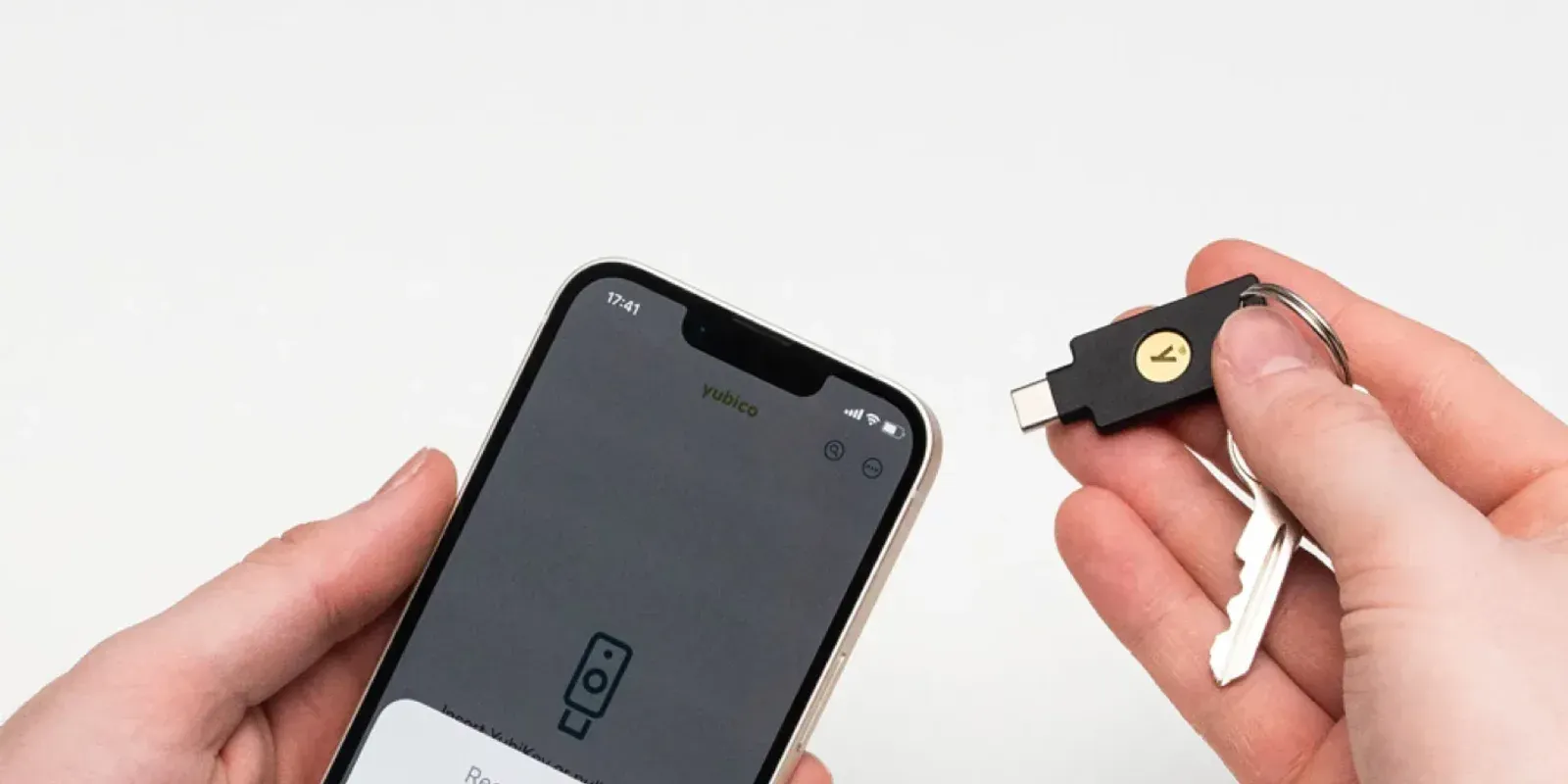
On 9 July, OpenAI told the security researchers in its Trusted Access for Cyber programme that a password and a code would no longer be enough. From 1 September, any individual member who wanted to keep the company's most capable cyber models had to turn on Advanced Account Security and sign in with a hardware-backed . Members who did not were moved back to the standard models.
The rule has now been in force for ten weeks and the coverage has moved on. We think it deserves a second read from anyone running a business, because the reasoning OpenAI applied to a vetted group of researchers applies just as well to the ChatGPT accounts your own staff use every day.
What OpenAI changed
Trusted Access for Cyber launched in February as a way to put OpenAI's strongest security models in front of defenders first. Members verify their identity, and in return the models help with research, analysis and detection work with fewer of the refusals that get in the way of legitimate testing.
The July announcement added a second condition: the account itself had to be protected by a credential that lives on a physical device and cannot be copied off it. OpenAI partnered with Yubico to offer a discounted pair of co-branded YubiKeys through ChatGPT, and said any -compatible security key would do. When the rule took effect, Yubico said the bundle was being extended to ten more countries, including Australia.
Why an identity check was not enough
An identity check confirms who a person is on the day they enrol. It does nothing about who signs in as them six months later. A sign-in protected by a password and a texted code can be captured by a relay page in a few minutes, and whoever captures it holds a verified researcher's access without ever having been verified.
Yubico's case for the change is an economic one, and we think it is right. Stolen accounts are harvested, tested and resold in bulk. A credential bound to hardware cannot be collected by a fake login page or restored from a cloud backup, so each account takes a physical object to compromise and the bulk trade stops paying.
Most businesses carry the same gap. They vet a new hire carefully, issue an account, and then let that account be opened with a password and an SMS code. Microsoft has reached the same conclusion from another direction and retires SMS and voice codes in Entra on 1 February 2027.
What Advanced Account Security does to an account
Advanced Account Security is open to more than the cyber programme. It is an optional setting on personal ChatGPT accounts, and OpenAI's help centre sets out what it changes. Enrolling takes at least two sign-in methods, which can be security keys, passkeys or one of each. Once it is on, OpenAI disables password sign-in, emailed and texted codes, and account recovery by email. Sessions expire sooner, every device is signed out at enrolment, and conversations on the account are no longer used to train OpenAI's models.
Recovery becomes the account holder's job. OpenAI issues a set of recovery keys at enrolment, each of which works once, and using one starts a 48 hour wait before the account unlocks. Someone who loses every sign-in method and the recovery keys as well cannot be let back in by OpenAI's support team. That is by design, since a help desk that can be talked into a reset is how a great many takeovers happen. It also means the second key and the recovery keys need a home before anyone enrols.
Hardware has its critics. Forrester's Andras Cser argued in July that physical keys bring shipping and replacement costs, sit awkwardly with automated pipelines and may be hard to buy in some countries. Those are fair points for a large fleet. For the few accounts in a business that hold the most sensitive material, a spare key in a safe is a small price.
The ChatGPT accounts in your own business
Few Australian businesses have anyone in the cyber programme. Plenty have staff who paste contracts, client correspondence, source code and board papers into ChatGPT, and the history stays on the account. Where connectors are switched on, the same account can reach the file storage and mailboxes behind it. A takeover of that account is a data breach, and if is involved it may be a notifiable one.
What you can do about it depends on the kind of account.
Personal and individual paid accounts can enrol in Advanced Account Security today. If a director or senior staff member does serious work in a personal ChatGPT account, turn it on for that account with two keys registered. Our store guide covers which keys to buy and what to prepare before enrolling.
Enterprise-managed accounts cannot enrol. OpenAI excludes them, along with accounts on a verified company domain, because they are expected to sign in through the organisation's identity provider. That puts the control in your hands. ChatGPT Enterprise supports , so connect it to and use a Conditional Access policy to require phishing-resistant authentication, the same as you would for any application holding client data. On ChatGPT Business, check whether single sign-on is included in your plan and switched on.
Work done in personal accounts the business has never seen is the hardest group, because no policy setting reaches it. The practical answer is a managed account good enough to make the personal one unnecessary, and a plain statement of which material stays out of unmanaged tools.
Where to start
Find out which ChatGPT plans the business pays for and which staff expense their own. Check whether the managed workspace signs in through Entra or still accepts a password. Then look at who holds the accounts with the most in them, usually directors, finance and anyone handling client files, and move those people to hardware keys first.
OpenAI picked the accounts where a takeover would do the most damage and made the key compulsory for those. The same exercise in a business usually produces a short list, and a short list is affordable.
Does the mandate apply to ordinary ChatGPT users?
No. It applies to individual members of Trusted Access for Cyber who want to keep access to the most capable cyber models. For everyone else, Advanced Account Security is optional.
Do you need a YubiKey for Advanced Account Security?
No. OpenAI accepts any FIDO-compatible security key, and passkeys count as well. The cyber programme is stricter and asks for a hardware-backed passkey. A hardware key is also the only option that does not lean on a phone or a cloud account.
Can ChatGPT Enterprise or Business accounts use it?
Enterprise-managed accounts and accounts on a verified domain cannot. OpenAI says availability on Business and other workspace accounts depends on how the account is configured. For a managed workspace, single sign-on with a policy does the same job.
What happens if someone loses their key?
They sign in with their second registered method and remove the lost key. If both are gone, a recovery key starts a 48 hour recovery process. If the recovery keys are gone too, OpenAI says the account may be lost, which is why two keys and a stored set of recovery keys are the minimum.